About TFT Tool
TFT Unlock Tool is highly important for people who undertake Samsung cellphone repair. Because it enables the software repair of numerous mobile devices. You can now use it on your personal phone. By installing this software in your computer or laptop, you can use it for free. You can use any features of TFT Tool 2026 absolutely free.
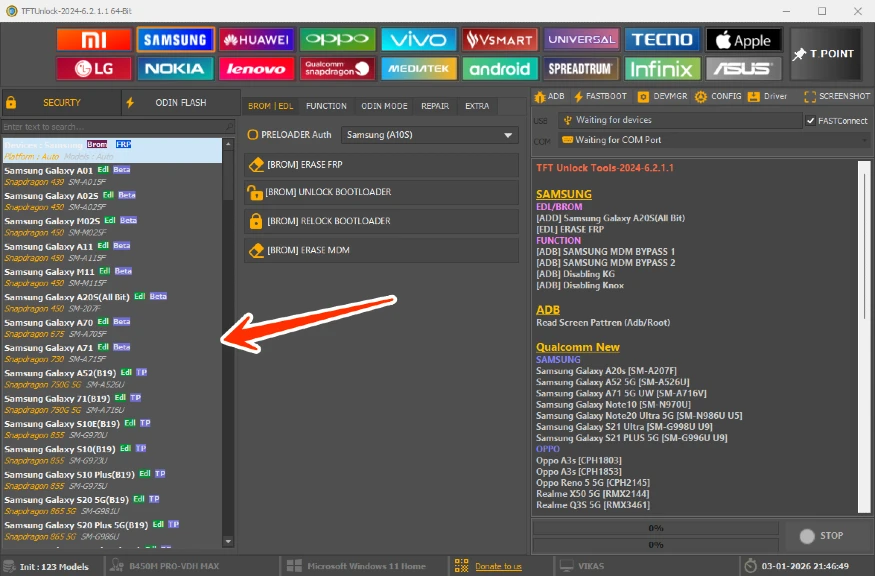
Here we shall know what TFT tools is and how it works. TFT is the name of a software that may be installed on a computer or laptop. With its help, you can fix mobile OS. It is really straightforward to use. You can also use the program for free, but with some constraints.
To use all its capabilities, you will have to purchase it. But if you have one or two mobiles, then you can very easily use it for free. Or many of its free versions are available on the Internet. There are numerous versions of TFT Tool. And from here you will be able to download the Latest Version.
Minimum System Requirements
- Windows PC (version 7 or later)
- 1GB of accessible disk space
- USB ports for device connection
- At least 4 GB of RAM.
- Compatible with operating systems
- What operating systems may TFT Tool be installed on? This was discussed in full.
Supports numerous models, including Samsung Galaxy, Oppo, Tecno, Realme, Vivo, and Infinix. Capable of supporting all new Samsung mobiles by 2025. It is constantly updated. So that new divisions can be activated or unlocked.
For more Mobile Tools Bypass FRP TFT Must visit : TFT Unlock Tool
Compatible with operating systems
The TFT Tool can be installed on the following operating systems:
- Windows 7, 8, 10, and 11
- MacOS (with emulator)
- Linux (with emulator).
TFT Tools FRP Bypass can be used.
TFT Tools allows you to uninstall the FRP from an Android device. It supports a large number of mobile companies. If you utilize it, you will be able to completely bypass the FRP on any device. This is a fairly simple method; simply attach your device to the PC using the Boot Key or EDL point. After that, choose the model in TFT Tools and click FRP Remove and Start. Now, your device’s FRP will be unlocked.
About the TFT Unlock
How can I install TFT Unlock Tool?
The setup process for this program is pretty simple. The installation procedure is outlined step by step below:
- First, double-click the Unlock Tool setup to start the installation procedure.
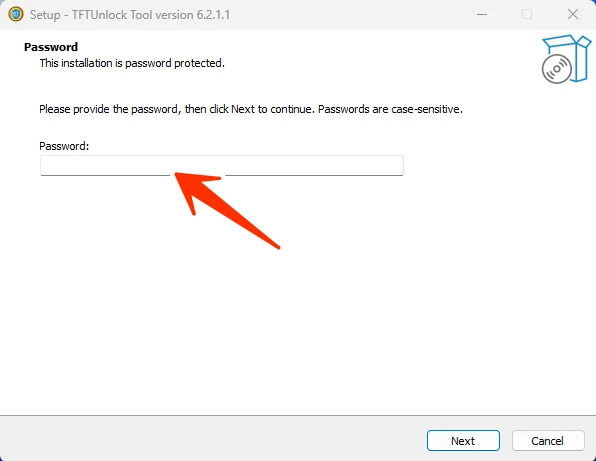
- Now the setup will ask for a password, which you must input as 123 and then click Next.
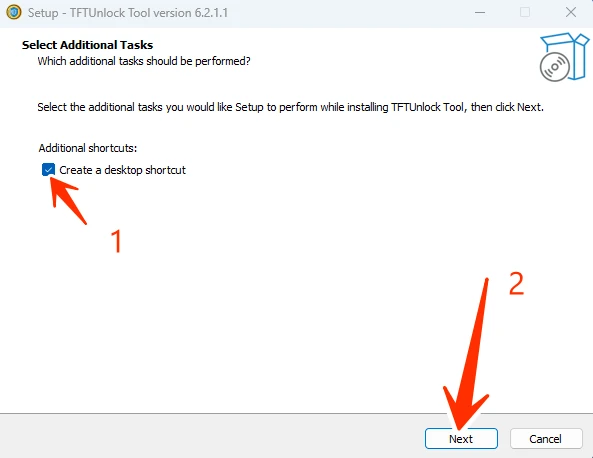
- To create a desktop shortcut, tick the box and proceed to the next step.
- The installation process will start on your screen. Following that, you can use the TFT Unlock Tool for free.
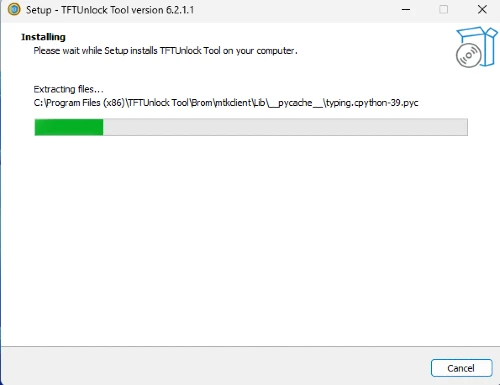
- You may see an error message when attempting to open the TFT Tool. You can connect to the VPN supplied by the tool.
FAQ’s
- Can TFT Unlock Tool v6.2 unlock all smartphone manufacturers and models?
- TFT Unlock Tool v6.2 (Latest Version) is intended to support a broad variety of smartphone manufacturers and models. However, compatibility may differ based on device-specific security measures and firmware versions. Check the tool’s compatibility list or contact help if you have particular questions.
- Can the TFT Unlock Tool v4.6.5 circumvent network carrier locks?
- Yes, TFT Unlock Tool v4.6.5 has capabilities that allow you to overcome network carrier locks under specific scenarios. Before utilizing the program for unlocking, users should examine their local laws and carrier restrictions.
- Is the TFT Unlock Tool free?
- You may download any version of Tft Tool for free.
- Does TFT Tool just support iOS?
- No, it is solely intended for Android smartphones.